How I Got My Resumé to Security Headers Hall of Fame (Grade A+)
security-headers HTTP-security CSP application-security defense-in-depth
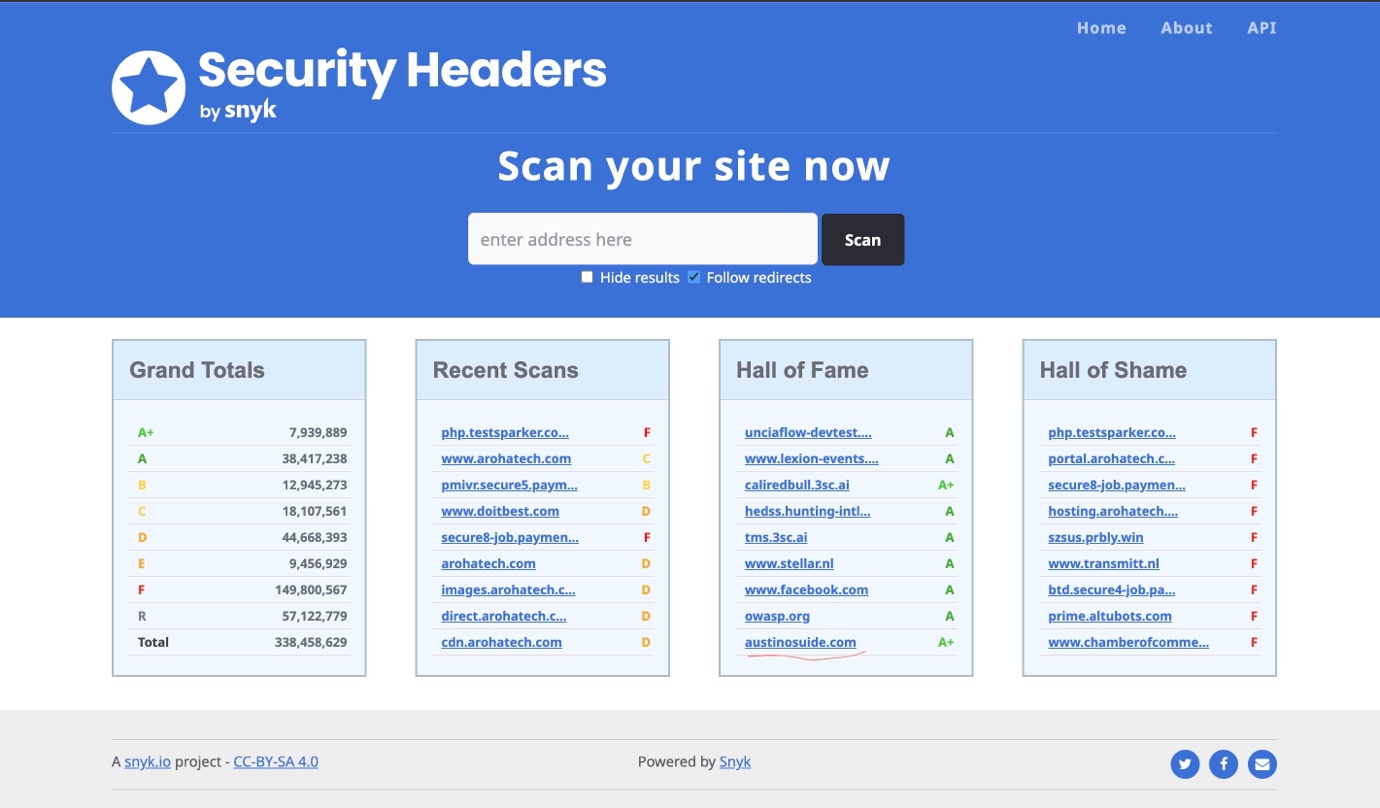
Today, my resumé site quietly joined the Security Headers Hall of Fame with a Grade A+ result. No launch party, no press release, just a small badge on a report page.
Under the surface, that badge represents something important. It reflects days of deliberate configuration changes, broken layouts, blocked scripts, and a very intentional decision to treat a personal site with the same discipline as a production workload.
This is not a victory lap. It is a practical case study in why security headers matter, how I implemented them end to end, and the security mindset that carried the work over the line.
Why Security Headers Still Matter
If you are new to Security Headers, the idea is simple. Your web server can send additional HTTP headers that instruct the browser how to behave. These headers are not secrets. They are visible to anyone who inspects network traffic, so they become a very public signal of your security posture.
Most sites never go beyond the defaults. Security headers feel fragile. They need careful testing. Misconfigurations can quietly break features. That is exactly why they are valuable.
An A+ score from Security Headers does not mean a site is immune to compromise. It means you have paid attention to details that many teams ignore, and you have constrained the browser in a way that reduces the blast radius of common classes of attack.
For a security architect’s resumé, that bar is non-negotiable. I cannot credibly advise financial institutions on secure design if my own site does not embody the same principles. The Hall of Fame listing is not the objective. It is simply evidence that I have treated my own resumé as production infrastructure.
The Header Strategy in Plain Terms
Rather than present a dry checklist, it is more useful to describe the intent behind each control and how it contributes to defence in depth.
1. Strict Transport Security (HSTS)
HSTS tells the browser, in effect, once you have seen this domain over HTTPS, never return over HTTP. We configured:
A max age of two years
Inclusion in the HSTS preload list
Preloading means major browsers ship with an internal list that forces the first ever request to use HTTPS. There is no opportunity for an attacker to downgrade that initial connection.
2. Content Security Policy (CSP)
CSP is the central control in this story. It is a policy that defines exactly where the site is allowed to load scripts, styles, images, fonts, and other active content.
A strict CSP means that even if an attacker finds a way to inject malicious code into a page, the browser will refuse to execute it unless it comes from an explicitly trusted source.
Key design decisions:
A default policy of default-src 'self' so the browser trusts only my own origin by default
Explicit SHA 256 hashes for any remaining inline styles that we could not remove
This forced a full refactor of legacy inline scripts into external files and a disciplined approach to any code that remains inline.
3. X-Frame-Options
Clickjacking is trivial to implement and still effective where controls are weak. X-Frame-Options: DENY makes it clear that no other site may embed my resumé in an iframe.
That decision removes an entire class of user interface level attacks with a single, low effort control.
4. X-Content-Type-Options
Browsers sometimes try to be helpful by guessing the content type of a resource. That behaviour can be abused by serving a file with a harmless extension that contains active content.
X-Content-Type-Options: nosniff instructs the browser to trust the declared Content-Type header and never attempt to infer it. It is a small change with significant risk reduction.
5. Referrer-Policy
Every time a user follows a link, the browser can disclose the origin page in the Referrer header. That may expose sensitive path structures or query parameters to third party sites.
We set Referrer-Policy: strict-origin-when-cross-origin which balances analytics requirements with a clear limit on the amount of information that leaks to external domains.
6. Permissions-Policy
Permissions Policy is part of a newer generation of browser controls. It governs access to powerful APIs such as camera, microphone, and geolocation.
Even though the resumé does not use these capabilities, the policy explicitly denies them. This ensures that if a malicious script somehow arrives on the page, it cannot silently request access to sensitive device features.
The Real Work Was Not the Headers
On paper, setting response headers looks straightforward. In practice, the most time-consuming work was removing and restructuring inline scripts and styles.
Security Headers and browser CSP reports flagged every inline <style> tag and each <script> block that did not present a valid nonce or hash. Every one of those was treated as a potential injection point.
The remediation steps looked like this:
Extract inline styles into dedicated CSS files and serve them from the same origin
Refactor inline scripts into external JavaScript files wherever possible
For truly minimal residual inline snippets, generate and maintain strong SHA 256 hashes
Update the CSP to permit only those exact hashes and trusted origins
An interesting side effect emerged. This clean up did not only improve security. It also improved performance and maintainability:
HTML responses became smaller
External stylesheets and scripts gained browser cache benefits
Concerns were better separated between content and presentation
The security improvement forced better engineering practice.
How I Tested and Validated the Posture
Security headers can fail silently. A single typo in a CSP directive may break a feature with no visible error message to the end user.
The testing strategy focused on three pillars.
Browser developer tools
The Network and Console panels became the primary workbench. Each CSP violation generates a console message. I treated these as defects and worked through them until the console was clean under normal user journeys.Security Headers scanner
The scanner at securityheaders.com was not reserved for the final stage. It ran repeatedly during the hardening process. Each scan provided a clear list of missing or misconfigured controls, which became an actionable checklist.Cross browser, real world usage
I validated behaviour across Chrome, Edge, Firefox, and Safari on both desktop and mobile. Some browsers apply stricter interpretations of certain policies than others. It was important to confirm consistent behaviour under different engines and network conditions.
The Mindset Behind the Configuration
The main lesson is that security headers are an expression of intent.
When you declare Content-Security-Policy: default-src 'self', you are stating that you trust only your own domain by default. You deliberately tighten the attack surface so that unexpected code simply cannot run.
Yes, strict headers can initially break features. That is not a reason to weaken the policy. It is feedback that the code base has grown with assumptions that need to be challenged.
This distinction is important:
Security theatre is adding a header because a blog post recommended it
Security posture is understanding the control, enforcing it, and adjusting the application until it complies
The objective is not perfection. It is a clear, defensible, and auditable stance.
What This Means for Visitors to the Site
When someone visits my site:
The connection is enforced over HTTPS, from the first request onward
The browser refuses to execute scripts or styles that do not align with the declared CSP
Sensitive information in referrer headers is limited when the user follows links to other domains
Access to high impact browser features is explicitly constrained
None of this makes the site impossible to compromise. What it does is raise the difficulty for an attacker. Opportunistic attacks become much less viable. Any serious attempt requires more effort, is more likely to generate noise, and is easier to detect and investigate.
That is the essence of defence in depth. You make the cheap attack paths uninteresting.
A Note to Security Leaders and Practitioners
If you work in cyber security and maintain any form of personal or professional presence online, your resumé site is part of your credibility.
A few practical recommendations:
Treat headers as design, not decoration.
Do not copy and paste configuration from a random forum thread. Understand what each header enforces and why it is appropriate for your architecture.Automate scanning in your pipeline.
Integrate tools like Security Headers or equivalent checks into your CI or deployment process. Failing builds on material regressions turns posture into a living control.Accept that constraints will surface technical debt.
When a header breaks a feature, assume the feature needs refactoring rather than weakening the control. Security posture should push engineering quality up, not down.Reassess regularly.
As you add third party services, analytics, or new features, revisit the policy set. Security posture is a continuous process, not a one-time activity.
The Unexpected Outcome
The Hall of Fame badge is pleasant to look at, but it is not the real return on effort.
The real value is assurance. I know that:
Every request to the site is protected by strong transport security
Injected scripts cannot execute silently under the browser’s policy
Sensitive context is not casually passed around in referrer headers
These guarantees are backed not only by server-side configuration but by the browser’s enforcement model.
For a security architect, that does not feel like an achievement. It feels like the minimum bar.
If you want to understand your own site’s posture, visit securityheaders.com and run a scan against your domain. It takes less than a minute and the output will give you a very direct view of how your headers communicate your intent to every browser that connects.
References